A client gallery for photographers is the tool your clients spend more time in than your website. It is where they first see the photos, choose favourites and download the set. There are plenty to pick from: Pixieset, Pic-Time, ShootProof, Picflow and others. Most are built far from Lithuania and priced in US dollars, so before you pay, check whether a platform fits the way you work and the clients you serve. Below are the criteria I would use to choose one, plus a short comparison based only on what each platform states on its own official pages.
Start with what the gallery is for
A "gallery" means different things to different photographers:
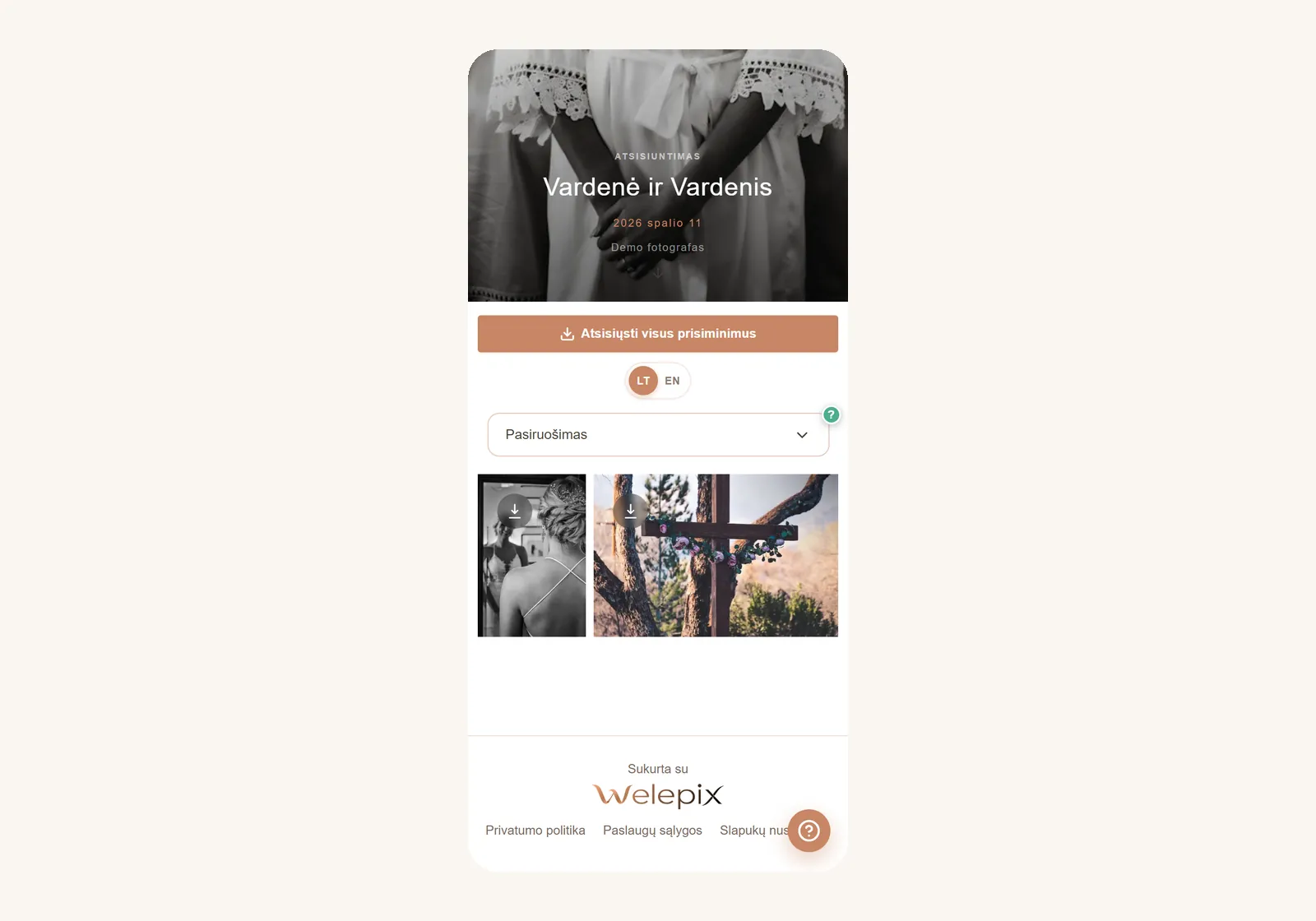
- for some it is delivery only: you upload finals, the client downloads them;
- for others it is proofing, where the client picks from previews which photos you will edit;
- for some it is sales, where the client orders prints, albums or extra images;
- and for some it is an archive that holds finished work and RAW files long term.
If a print shop is your priority, you will choose differently than if proofing and archiving matter most. Decide this first and the comparison gets much shorter.
What to check in a client gallery
The language your client sees
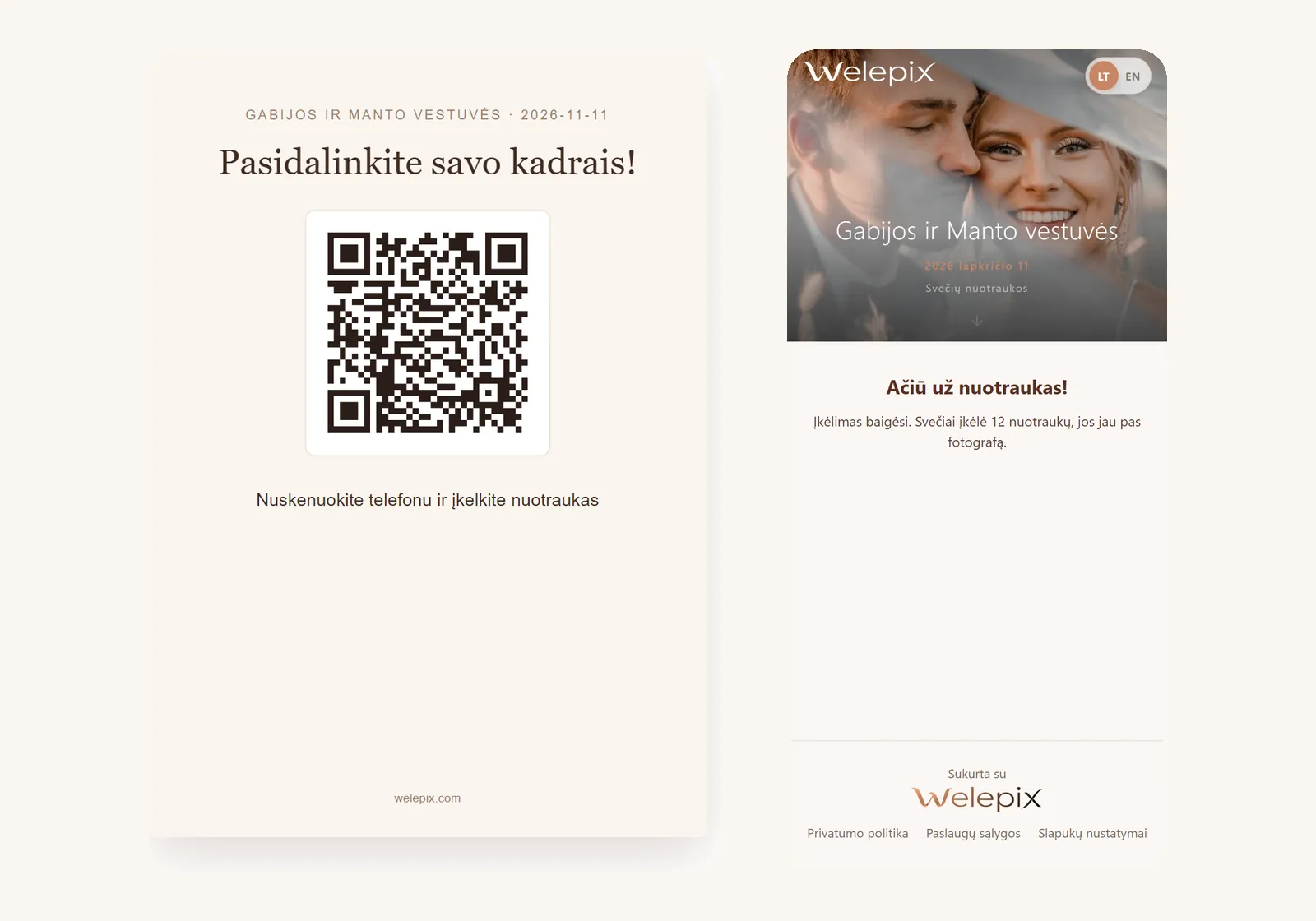
English works for most couples. But parents help choose wedding photos, and grandparents open family galleries. If your clients speak another language, check that it is on the platform's list and that the whole path is translated: the email with the link, the gallery itself and the selection buttons.

Selection limits and extra photos
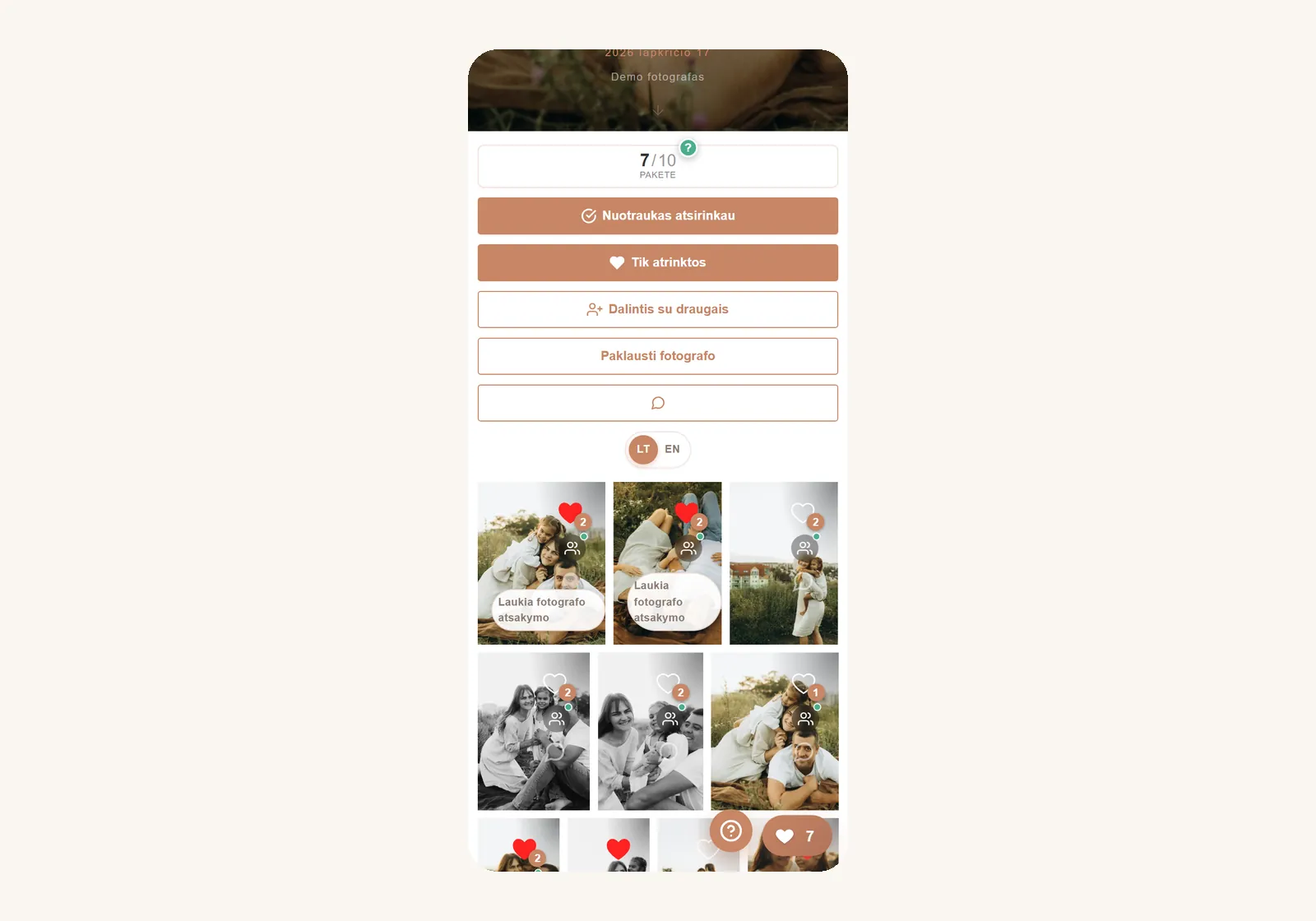
If your packages include a set number of images, the gallery should let you set a limit and show the client how many they have picked. Most of the big platforms offer a limit in some form today. What differs is what happens when the client wants more: whether extra picks are charged inside the selection itself, or you have to set up a separate store product for them.
Copy protection
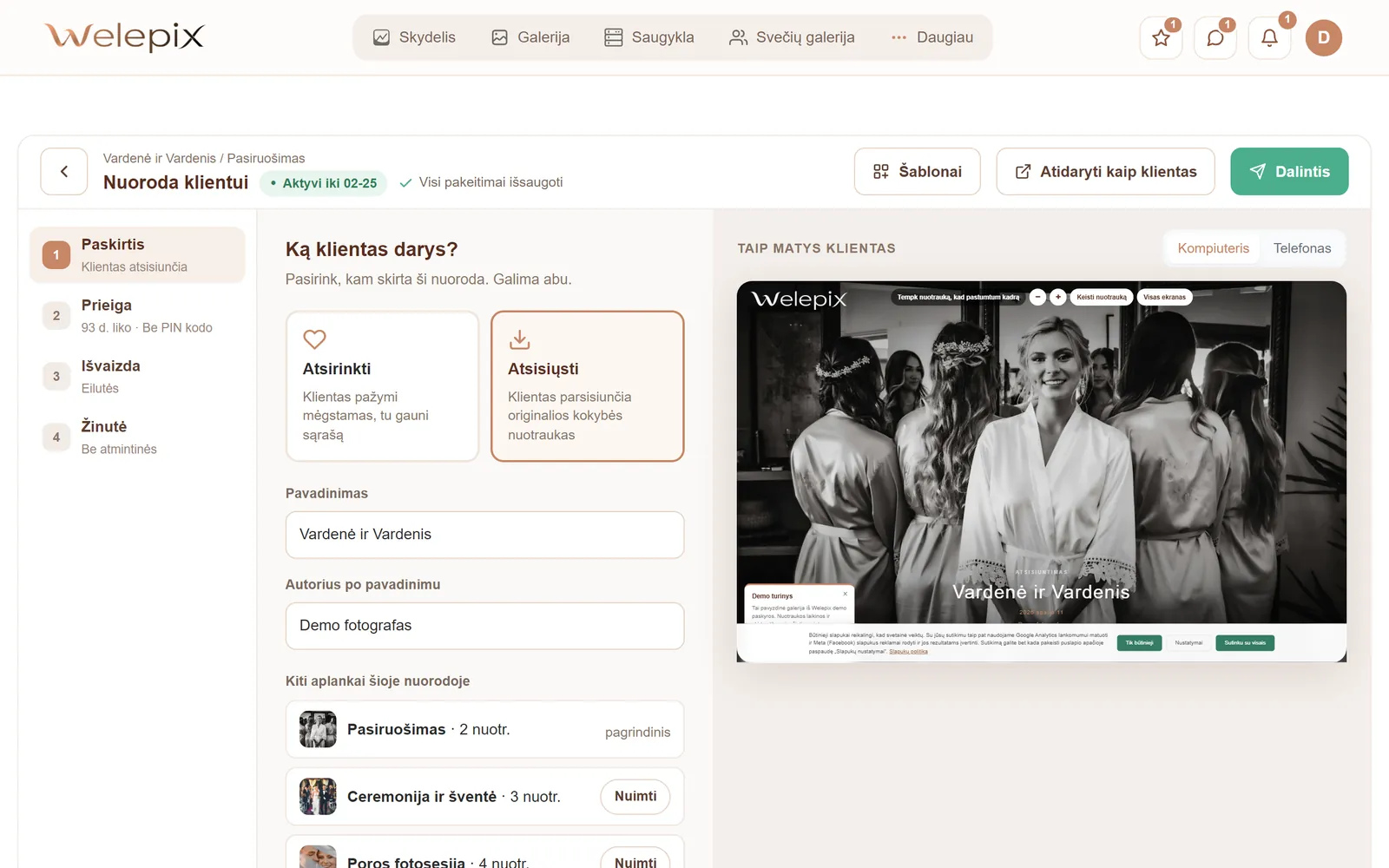
Watermarked previews are standard almost everywhere. Screenshots are harder. In a browser they cannot be fully blocked, only made harder, for example by blurring the photo when a screenshot key is pressed. Real blocking works only inside an app, and only where the operating system allows it (for example Android and Windows). If you show unpaid images to clients, ask how protection works and on which devices.
RAW files and archiving
Not every gallery accepts RAW. Some take JPEG only, others allow RAW only on higher plans. If you want your archive in the same system, check this first and work out what a year of your work would cost to keep.
Price, currency and commitment
Many platforms list prices in US dollars, and the lowest figure is often the annual rate shown per month. Compare monthly prices, your bank's currency conversion fees, and whether VAT gets added at checkout. Promotional prices, especially around November, usually apply to the first year only.
One more question to ask up front: what happens to your files when you stop paying. Some platforms keep them for a while, others close galleries straight away. When a plan ends, Welepix keeps files for 30 days, so you can renew and pick up where you left off.
What it will cost a year from now
The cheapest plan looks good until the space runs out, so do the maths early. Forty sessions a year at 5 GB each, with nothing deleted, is 200 GB after twelve months. Then you either move to a bigger plan or move finished work into a separate archive. Check whether the platform lets you do that and what the archive costs on its own.
Print shop
If you sell prints through your galleries, this may be the deciding factor. Pixieset, ShootProof and Pic-Time all have one. Welepix does not, and we would rather say so up front.
Where the data lives
If you work with clients in the EU, you are responsible for their personal data under GDPR. Check where the company is based, where files are stored and whether it offers a data processing agreement.
A short comparison
Information collected from each platform's official pricing and help pages in November 2026. Prices change, so check them yourself before deciding.
| Platform | Country | Cheapest paid plan |
|---|---|---|
| Pixieset | Canada | $10 ($8 billed annually) |
| ShootProof | USA | $9.99 ($8.33 billed annually) |
| Pic-Time | Israel | $7 ($5.60 billed annually) |
| Welepix | Lithuania | €5 a month |
- Pixieset is based in Canada. Its cheapest paid plan, Basic, is $10 a month billed monthly or $8 billed annually, with 10 GB. It has a selection limit (Max Selection), a print store, and contracts with e-signatures in Studio Manager. RAW uploads to galleries are available on Pro and higher. It has browser screenshot protection.
- ShootProof (USA) has paid plans from $9.99 a month ($8.33 billed annually), plus a free plan for up to 100 photos. Selection limits are set through Labels; there is a store, and contracts on paid plans. Its help centre states that only JPEG files can be uploaded. Since April 2026 it has browser screenshot protection that blurs the photo.
- Pic-Time (Israel) offers the Beginner plan at $7 a month, or $5.60 a month billed annually, with 20 GB. Selection with an exact limit is part of Client Hub from the Professional plan up. Supported uploads are JPEG, GIF and video. There is a store.
- Welepix (Lithuania) has galleries from €5 a month (10 GB), Plus €9 (50 GB) and Pro €14 (100 GB), billed monthly with no annual commitment; prices are final in euros with no VAT added. The interface is in Lithuanian and English for both photographer and client. Selection limits, with extra photos at a price you set. A separate RAW archive: 500 GB for €10 a month. Share links can be set to "app only", in which case the Android and Windows apps block screenshots and screen recording at system level; in browsers, as with Pixieset and ShootProof, the photo is blurred when someone tries to take a screenshot and right-click is blocked (the protection level is set per link). Limitations: no print store, and iPhone and Mac users cannot open app-only links yet.
All four offer watermarked previews, and most of them let you copy the selected file names for a Lightroom filter, so neither is a strong reason to pick one over another. To see how screenshot protection works in practice, read the screenshot protection page.
Test it before you commit
A feature table tells you less than one real session. My advice:
- Upload one real session to the two or three platforms that meet your criteria.
- Open the gallery on a phone the way a client would: from the email, not from your dashboard.
- Ask a friend to make a selection and download everything. Watch where they get stuck.
- Check the way out: can you download all your photos if you decide to move?
You can try Welepix in a demo account without signing up, and the first purchase of a plan comes with a 14-day money-back guarantee. Plans are on the pricing page, and the client sharing page shows what your clients will see.
Sources (checked November 2026): Pixieset pricing, ShootProof pricing, Pic-Time pricing, ShootProof screenshot protection. Prices and plans change, so check them before you decide.